



See the Full Picture Across Every Redirect#
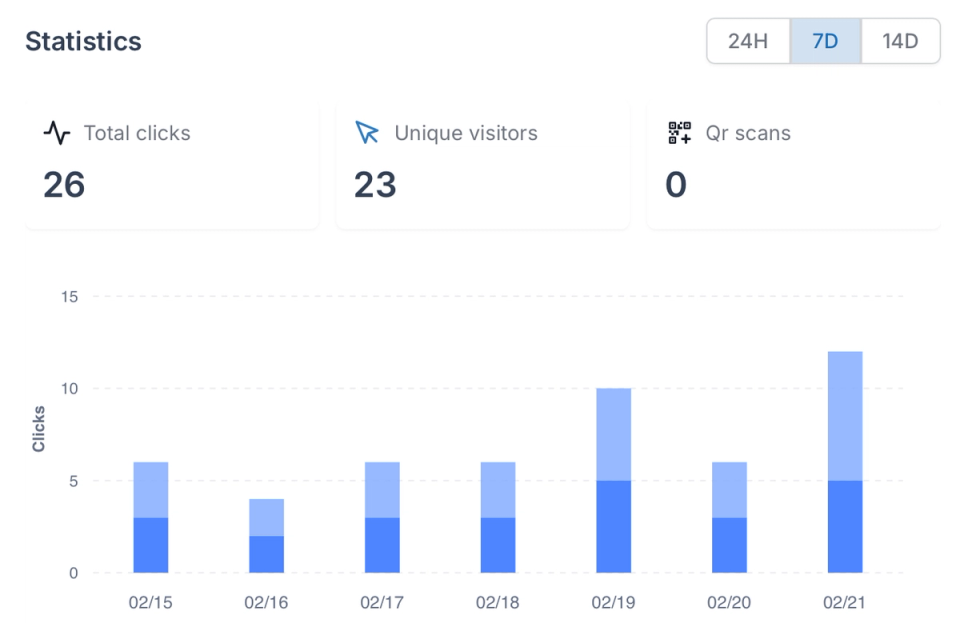
Total clicks, unique visitors, QR scans — everything in one dashboard so you always know what's performing and what's not.
- Total clicks: See total hits per redirect with hourly distribution to spot traffic patterns and spikes as they happen.
- Unique visitors: Separate returning users from first-time visitors to understand true reach, not just raw volume.
- QR scan tracking: Monitor QR code performance separately from URL click-throughs — useful for offline campaigns and print assets.
Know Your Audience — Location, Device, Referrer#
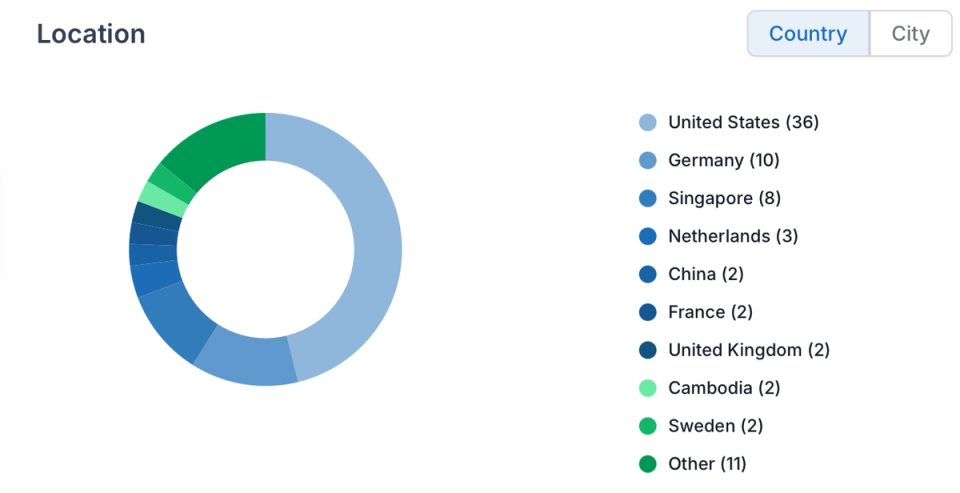
Understand who is clicking your redirects — where they are, what device they are on, and which domain is sending them.
- Geographic breakdown: Country and city-level location data for every redirect — see where your traffic actually originates.
- Device and browser: Mobile vs desktop split, browser breakdown — know how your audience accesses your links.
- Domain-level traffic: Compare traffic across domains and subdomains in one view to see which properties are driving volume.
Real-Time Activity — No More Guessing#
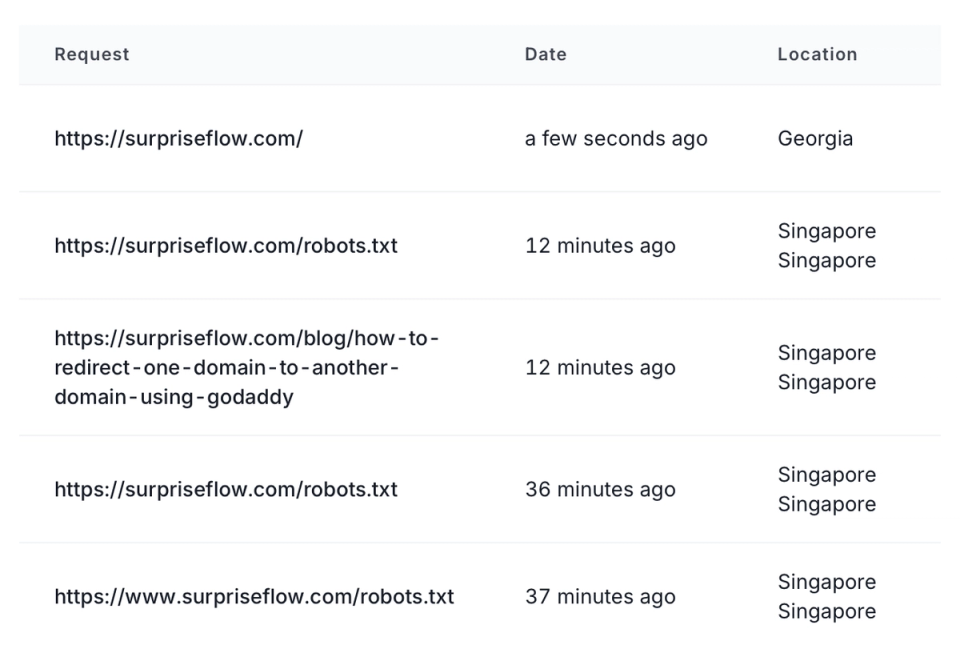
See every visit as it happens. The live log shows timestamps, locations, and device info so you catch anomalies the moment they occur.
- Live activity log: A real-time stream of recent visits with timestamp, location, and device — updated as hits come in.
- Per-redirect detail: Drill into any individual redirect to see its full traffic history, not just aggregate totals.
- Error visibility: Spot redirects generating errors or unusual patterns immediately — before users report them.
Reports Delivered Without You Asking#
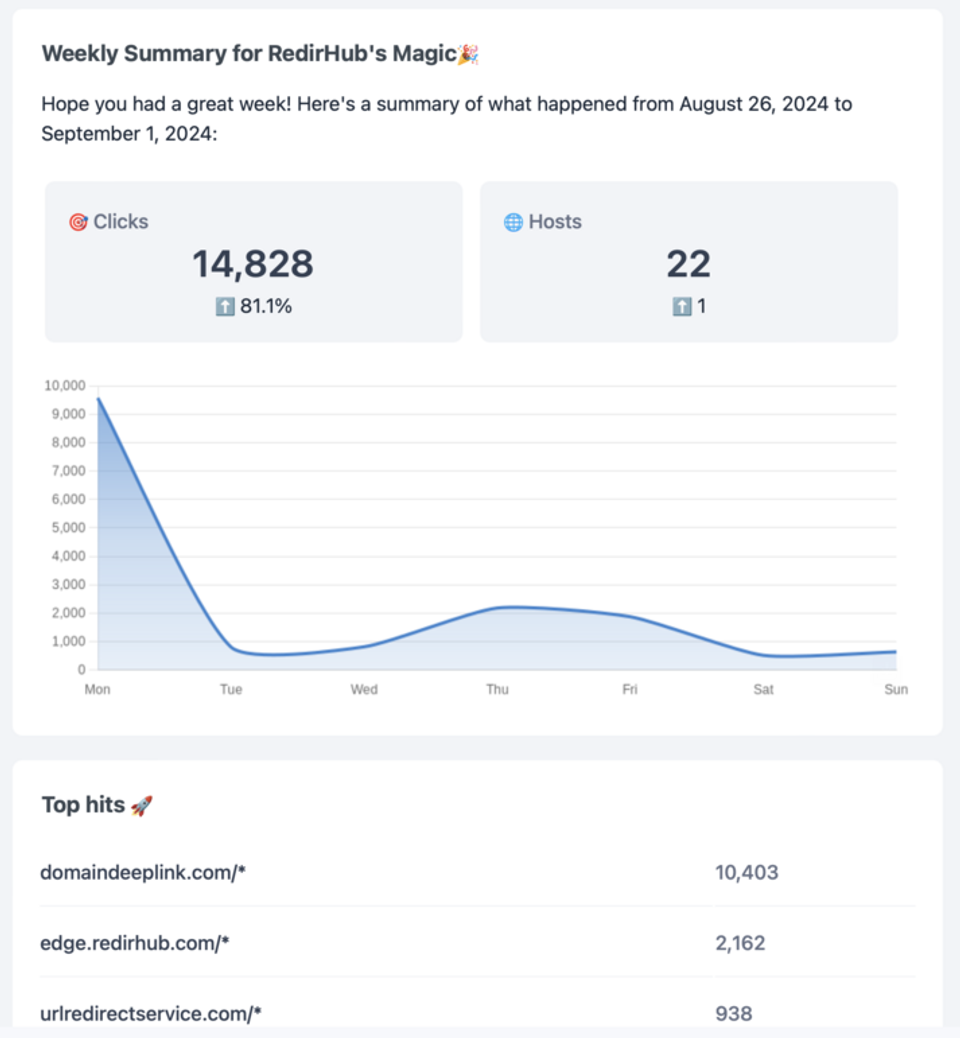
Weekly and monthly performance summaries land in your inbox automatically. No dashboards to check, no exports to schedule.
- Scheduled email reports: Weekly and monthly summaries of your redirect performance delivered directly to your inbox.
- Raw log pipeline: Access full raw traffic logs for deeper analysis in your own BI tools or data warehouse.
- Export on demand: Pull data at any time for client reports, audits, or custom analysis — no access restrictions.
Redirect Traffic Analytics for Complete Performance Visibility#
Understanding how your redirects perform is critical for SEO, marketing attribution, and infrastructure reliability. Without centralized redirect analytics, teams rely on fragmented tools that don’t show the full picture of traffic flow, user behavior, and performance trends.
A dedicated redirect analytics dashboard provides unified visibility into total clicks, unique visitors, geographic distribution, device usage, and referral sources. Instead of guessing which redirects drive results, you gain measurable insights into traffic patterns and performance across all domains in real time.
Real-Time Redirect Tracking and Detailed Click Insights#
Redirect performance data should be available instantly - not after exporting logs or waiting for reports. Real-time redirect tracking allows teams to monitor traffic spikes, detect anomalies, and evaluate campaign performance the moment activity happens.
With built-in analytics, you can monitor:
- Total clicks and hourly traffic distribution
- Unique visitors to measure true reach
- Geographic location data at country and city level
- Device and browser breakdown for audience insights
- Referrer domains to identify traffic sources
- Per-redirect performance history over time
This level of granularity enables marketing, SEO, and growth teams to make informed decisions based on actual redirect behavior rather than aggregate assumptions.
Live Redirect Activity Logs and Anomaly Detection#
Aggregate metrics are useful, but real operational visibility requires real-time activity logs. When managing redirects across multiple domains, campaigns, or environments, teams need to see exactly what is happening at the moment traffic flows through the system.
A live redirect log provides:
- Timestamped visit records for every redirect
- Location and device information per request
- Referrer visibility to trace traffic sources
- Per-redirect drill-down for historical analysis
- Immediate detection of unusual traffic spikes or patterns
With detailed activity tracking, teams can investigate anomalies instantly, validate campaign launches, and detect suspicious or unexpected traffic behavior without relying on delayed reporting tools.
Automated Redirect Reports and Data Export for Teams#
Beyond real-time monitoring, redirect analytics should support structured reporting for stakeholders. Marketing teams need campaign summaries, SEO specialists need traffic trends, and leadership teams require clear performance overviews.
Automated reporting ensures that redirect performance data is delivered consistently without manual exports or dashboard checks. Weekly and monthly summaries provide a structured view of traffic growth, user engagement, and redirect-level performance across domains.
Start analyzing your redirects with real-time visibility, structured reporting, and actionable performance insights. Gain full control over redirect traffic data and make decisions based on measurable results rather than assumptions.
Why Our Customers Love RedirHub

The UI is really easy to figure out, and it's very reliable. I especially like the easy URL shortener, far better than many of the alternatives. The redirects include SSL. Really generous free plan.
Dax
I enjoy using RedirHub for its useful tools that help with my promotions. Its customer service efficiently helped me with my work.
David Miller


Frequently asked questions