



Find Any Redirect Instantly#
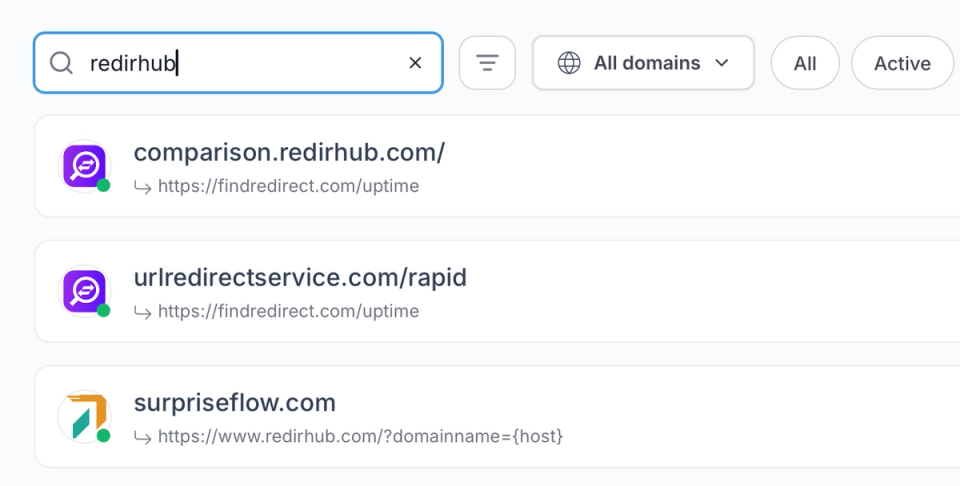
When you're managing redirects across multiple domains and campaigns, the ability to find what you need in seconds matters more than you'd think.
- Global search: Find any redirect by source URL, destination, tag, or domain — across your entire account.
- Smart filters: Narrow by status, redirect type, domain, or creation date to surface exactly what you need.
- Tag-based organization: Group redirects by project, campaign, or team — and filter down to just that group in one click.
Update Any Redirect Without a Deployment#
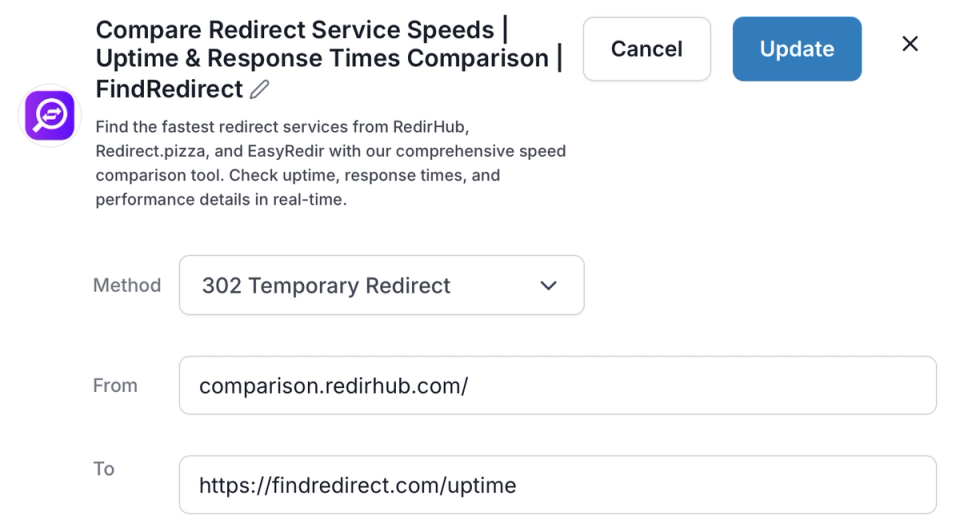
Change a destination URL, swap a redirect type, or kill a campaign link — it's live worldwide the moment you save.
- Change destination anytime: Update where any redirect points without disrupting the source URL or losing traffic.
- Enable or disable instantly: Pause or reactivate redirects in one click — for seasonal campaigns, maintenance windows, or quick rollbacks.
- No server access needed: Every update happens in the dashboard — no config files, no SSH, no waiting on IT.
Catch Broken Destinations Before Your Users Do#
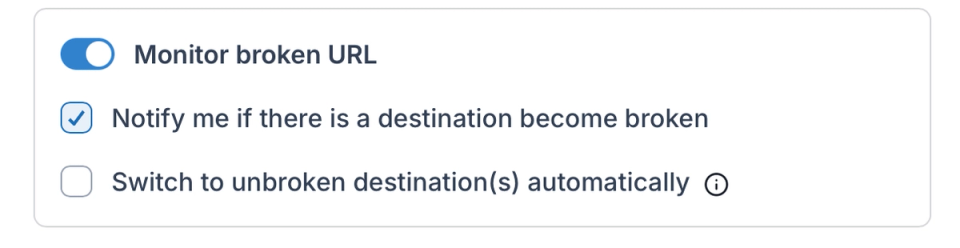
A redirect pointing to a dead page fails silently. Automated destination monitoring alerts you when something breaks — before it becomes a support ticket.
- Destination health checks: Automated checks alert you when a destination URL goes down or starts returning errors.
- Fallback destinations: Set a backup URL for any redirect — traffic is caught automatically if the primary destination fails.
- Error visibility: See which redirects are returning errors directly in your dashboard — no manual spot-checking required.
Bulk Operations for the Heavy Lifting#
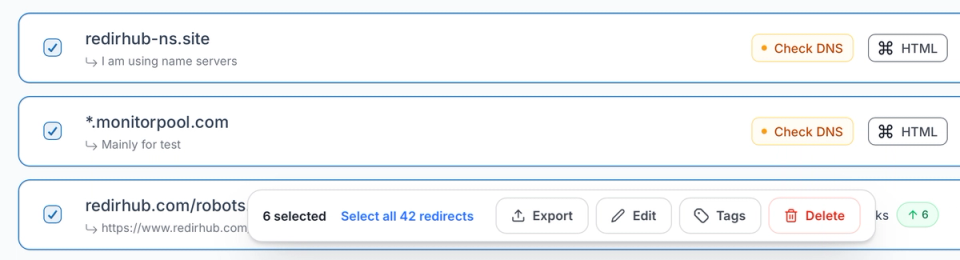
When you need to act on dozens or hundreds of redirects at once, batch edits and mass actions cut the work down to seconds.
- Batch updates: Modify destinations, types, or tags across multiple redirects in a single operation.
- Mass actions: Enable, disable, retag, or delete multiple redirects at once — no one-by-one clicking.
- CSV export: Download your full redirect inventory at any time for audits, client reporting, or migration handoffs.
Redirect Management Dashboard for Centralized Control#
Managing redirects across multiple domains, campaigns, and projects requires more than simple URL forwarding. A structured redirect management dashboard provides full visibility into your redirect inventory - allowing you to search, edit, monitor, and organize rules from a single interface.
Instead of relying on server configuration files or scattered documentation, all redirect logic is centralized and instantly editable. This reduces operational risk, eliminates manual configuration errors, and ensures that every change is deployed globally without deployment cycles or infrastructure dependency.
Bulk Edit and Update Redirects Without Server Access#
As redirect inventories grow, manual one-by-one updates become inefficient and risky. A modern redirect management system must support batch operations, filtering, and structured editing workflows to maintain accuracy at scale.
With this dashboard, you can:
- Search redirects by source URL, destination, tag, or domain
- Filter by redirect type, status, or creation date
- Bulk update destinations, types, or metadata in one action
- Enable or disable multiple redirects instantly
- Export your full redirect inventory for audits or reporting
By replacing manual server edits with controlled bulk workflows, teams maintain accuracy while accelerating operational changes. Redirect updates remain consistent, trackable, and globally deployed within seconds.
Redirect Monitoring and Destination Health Tracking#
Redirects do not fail loudly - when a destination breaks, traffic can silently hit 404 errors or unavailable pages. A redirect management dashboard must provide visibility into destination health to prevent traffic loss, campaign disruption, or SEO impact.
This platform provides:
- Automated destination health checks to detect downtime or error responses
- Real-time status indicators for active and inactive redirects
- Fallback destination support to prevent traffic loss
- Centralized error visibility across domains
- Instant updates when a destination URL needs correction
With built-in monitoring, redirect management becomes proactive rather than reactive. Instead of discovering broken links through analytics drops or user complaints, issues are surfaced directly inside the dashboard.
Scalable Redirect Management for Growing Teams#
As organizations expand, redirect management shifts from a simple technical task to an operational responsibility shared across marketing, SEO, and engineering teams. Clear organization, filtering, and structured control become essential to prevent misconfiguration and duplicate rules.
A centralized dashboard allows teams to organize redirects by domain, project, campaign, or environment. Changes can be applied instantly without waiting for deployment windows, and updates remain visible to all stakeholders involved in traffic management.
Start managing redirects from a single dashboard and eliminate the need for server-level edits or manual tracking. Whether maintaining a small set of URLs or a large redirect inventory, centralized management ensures speed, accuracy, and full operational control.
Why Our Customers Love RedirHub

The UI is really easy to figure out, and it's very reliable. I especially like the easy URL shortener, far better than many of the alternatives. The redirects include SSL. Really generous free plan.
Dax
I enjoy using RedirHub for its useful tools that help with my promotions. Its customer service efficiently helped me with my work.
David Miller


Frequently asked questions